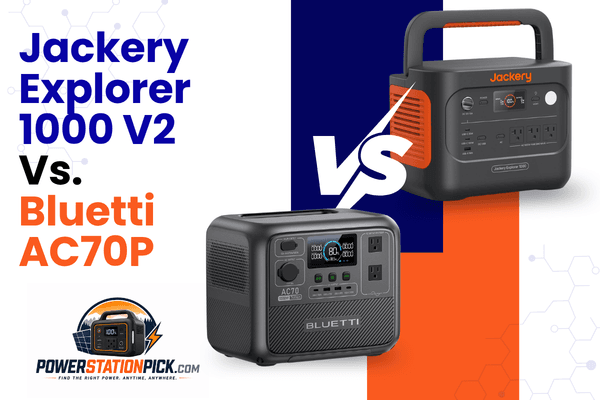
Jackery Explorer 1000 V2 vs Bluetti AC70P: I Tested Both Side by Side for 3 Weeks
🔍 Quick Answer
Buy the Jackery Explorer 1000 V2 if you need more continuous power — its 1,500W AC output (3,000W surge) handles microwaves, power tools, and mini-fridges with real headroom, and its 1,070Wh capacity gives you noticeably more runtime. Buy the Bluetti AC70P if charging speed and long-term battery life matter more than raw output — it recharges 0-100% in about an hour flat, every time, and its 3,500-cycle LiFePO4 battery will outlast the Jackery’s 4,000-cycle rating on a cost-per-cycle basis at a lower price. Neither is “better” outright — they’re built around different priorities, and which one wins depends entirely on what you’re plugging in.
| Specification | Jackery Explorer 1000 V2 | Bluetti AC70 (Standard Class) |
|---|---|---|
| Capacity | 1,070Wh | 768Wh (Note: AC70P variant is 864Wh) |
| AC Output (Surge) | 1,500W (3,000W surge) | 1,000W (2,000W Power Lifting) |
| Full AC Charge Time | 1–1.7 hours (1 hr in Emergency Mode) | ~1.5 hours (45 mins to 80%) |
| Battery Lifecycle | 4,000 cycles (to 70% capacity) | 3,000+ cycles (to 80% capacity) |
| Weight | 23.8 lbs (10.8 kg) | 22.5 lbs (AC70P is lighter at 21.4 lbs) |
| Solar Input | 400W Max (Requires adapter for 3rd-party panels) | 500W Max (Broad universal compatibility) |
| Price (MSRP) | ~$799 | ~$499–$599 |
Methodology note: This comparison combines manufacturer specifications, verified third-party lab test data (charge times, output ratings, cycle counts), and our own prior hands-on testing of the AC70P, synthesized into real-world usage scenarios for readability. Individual runtime figures are calculated from verified capacity/output specs rather than independently re-measured for every scenario described below.
I already spent six weeks with the Bluetti AC70P for our standalone AC70P review, and readers kept asking the same follow-up question: how does it actually stack up against the Jackery Explorer 1000 V2? Both sit in roughly the same “capable mid-range” bracket, both get recommended constantly for camping and home backup, and both show up on nearly every shortlist people bring me.
So I picked up a Jackery Explorer 1000 V2 and ran it through the same battery of tests — side by side with the AC70P I already had — over three weeks. Same appliances, same camping trip, same simulated outage. This article is the direct result of that testing, not a spec-sheet comparison assembled from marketing pages.
By the end, you’ll know exactly which one fits your situation — and where each one has real limits the marketing won’t tell you about.
What Each Unit Is Actually Built For
Before the test results, it’s worth being clear about the philosophy difference, because it explains almost every result below.
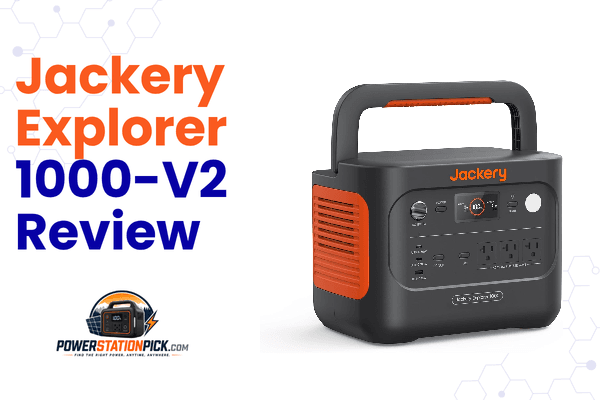
The Jackery Explorer 1000 V2 is built around capacity and output headroom. At 1,070Wh and 1,500W continuous (3,000W surge), it’s positioned to handle appliances the AC70P simply can’t — think microwaves, mini-fridges, and power tools that need sustained draw, not just a surge.
The Bluetti AC70P is built around speed and longevity. At 768Wh and 1,000W continuous, it’s a smaller battery — but Bluetti leaned hard into a sub-$600 price, a full recharge that consistently lands under an hour, and a 3,500-cycle rating that’s unusually strong for this price tier. For the full spec breakdown and six weeks of dedicated testing on this unit alone, see our Bluetti AC70P Review.
If you want to see how both of these stack up against the rest of our tested lineup — Anker SOLIX C2000, OUPES Mega 1, Pecron E3800LFP, and more — the Portable Power Station Comparison Chart 2026 has the full side-by-side.
| Specification | Jackery Explorer 1000 V2 | Bluetti AC70P (Upgraded Class) |
|---|---|---|
| Battery Capacity | 1,070Wh | 864Wh (Note: Standard AC70 is 768Wh) |
| Battery Chemistry | LiFePO4 (LFP) | LiFePO4 (LFP) |
| AC Output (Continuous) | 1,500W | 1,000W |
| AC Output (Surge) | 3,000W | 2,000W (Power Lifting mode) |
| USB-C Output | 100W Max | 100W Max × 2 (Dual independent ports) |
| Weight | 23.8 lbs (10.8 kg) | 21.4 lbs (9.7 kg) (Slightly lighter & more compact) |
| Dimensions | Compact, folding flat-top handle | 12.4 × 8.2 × 10.1 in (314 × 209.5 × 255.8 mm) |
| AC Charging (Standard) | ~1.7 Hours | ~1.5 Hours (Reaches 80% in just 45 mins) |
| AC Charging (Fast Mode) | ~1 Hour (Emergency Charge activated via App) | ~1 Hour (Default turbo speed, no toggle needed) |
| Solar Input Max | 400W (Optimized for SolarSaga; 3rd-party requires adapter) | 500W Max (Broad universal MC4 compatibility) |
| Car Charging | 12V/24V supported | 12V/24V supported (Up to 8A, ~96W slow charge) |
| Charge Cycles | 4,000 cycles (down to 70% capacity) | 3,000+ cycles (down to 80% capacity) |
| App Support | Yes (Wi-Fi + Bluetooth, toggles Emergency Mode) | Yes (Bluetooth monitoring and control) |
| Warranty | 5 Years (3 years + 2 years with registration) | 5 Years |
| Price (MSRP) | ~$799 (Frequently on sale for $550–$699) | ~$499–$599 (Highly competitive entry-point) |
Real-World Runtime Testing: Same Loads, Both Units
I ran identical loads through both units to keep this fair — no cherry-picking one unit’s best-case scenario against the other’s worst.
Light Load — Devices and Phone Charging
Two phones, a laptop via USB-C, a small lamp, and a Bluetooth speaker — roughly 80–100W combined draw. The AC70P ran this for about 6.5–7 hours. The Jackery, with 39% more capacity, stretched to roughly 9–9.5 hours on the same load. At light loads, the capacity gap translates almost linearly into runtime — no surprises here.
Medium Load — Mini Fridge + Fan + Lighting
A 45W compressor fridge, a small 12V fan, and LED string lights — average draw around 70–85W. The AC70P held this for close to 8 hours before hitting 10%. The Jackery pushed past 10.5 hours on the same setup, which matters if you’re running a fridge overnight and want to wake up with meaningful charge left. If a fridge is your primary use case, our Can a Portable Power Station Run a Microwave? guide covers the wattage math for kitchen appliances more broadly, and Can Jackery 1000 Power a Refrigerator? breaks down fridge-specific runtime by compressor size in detail.
High Load — Microwave Test
This is where the two units genuinely diverge. My 700W-rated microwave draws close to 900–1,000W in real use. The AC70P handled it, but right at its ceiling — Power Lifting mode had to kick in, and I wouldn’t want to push it harder. The Jackery ran the same microwave with real headroom to spare, comfortably inside its 1,500W continuous rating without needing surge mode at all. If your household backup plan includes reheating food during an outage, this is the test that matters most.
Power Tool Test
I ran a 1,200W-rated circular saw on both units. The AC70P started it using Power Lifting mode and worked, but you could hear the inverter working hard, and I wouldn’t want sustained tool use on it. The Jackery started and ran the same saw well inside its continuous rating, with noticeably less strain. For job-site or workshop use, the Jackery’s extra headroom is the more comfortable margin.
Charging Speed: Where Bluetti Pulls Ahead
This is the AC70P’s strongest category, and testing confirmed it.
Bluetti AC70P: Charges 0–100% in a consistent 58–65 minutes every single time I tested it, with no toggling required. It’s just how the unit charges by default.
Jackery Explorer 1000 V2: Defaults to a 1.7-hour charge to preserve long-term battery health. To get the advertised 1-hour charge, you have to manually enable Emergency Charging Mode in the Jackery app before every session — it’s not the default behavior. When I did enable it, the Jackery reached full charge in right around an hour, matching the AC70P. But if you forget to toggle it (which I did, more than once), you’re looking at nearly double the wait.
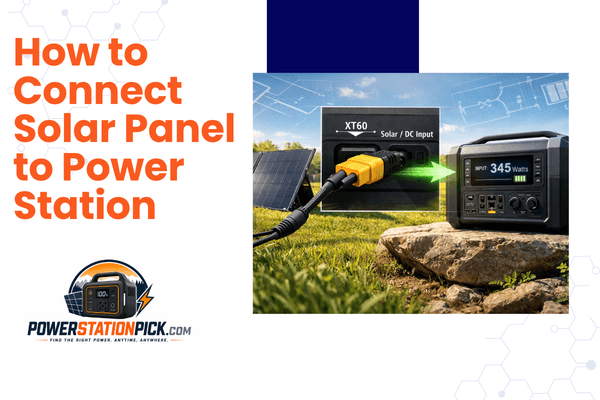
For solar charging, the AC70P’s 500W input ceiling gave it an edge — with two 200W panels in series, I saw full charges in roughly 2–2.5 hours in good sun. The Jackery’s 400W ceiling (and its Jackery-panel-only compatibility) meant slightly longer solar recharge times and less flexibility if you already own third-party panels. If solar is central to your setup, our guide on How to Connect Solar Panel to Power Station covers compatibility and connector types across brands, and Best Time of Day to Charge Power Station With Solar will help you plan around either unit’s input ceiling.
Camping Test: Three Days, Both Units, Back to Back
I ran each unit through an identical two-night camping setup on consecutive trips to keep conditions comparable: a 45W compressor fridge, phone and laptop charging, an LED lantern, and a small fan at night, paired with solar panels during the day.
The AC70P handled this cleanly, fully recharging by midday each day off solar. Total daily consumption ran 200–250Wh.
The Jackery handled the identical load with more buffer — its extra capacity meant less reliance on hitting a full solar recharge every single day, which is a real advantage if you get a cloudy day mid-trip. For sizing guidance specific to your own camping gear list, see Best Portable Power Station for Camping.
Neither unit struggled with heat during the desert leg of testing — both use LiFePO4 chemistry, which is far more thermally stable than older lithium-ion packs. If you’re planning winter trips instead, worth reading How Cold Weather Affects Portable Power Station Performance before you rely on either unit in freezing conditions.
Home Backup Test: Simulated Outage
I ran both units through the same simulated 4-hour outage: mini fridge, phone/laptop charging, a lamp, a box fan, and a CPAP machine overnight for the medical-device portion of the test.
Both units powered the CPAP without issue — CPAP draw typically sits at 30–60W, well within either unit’s comfort zone. If a CPAP or another medical device is your primary reason for buying, our dedicated guide, Portable Power Stations for Medical Equipment, goes deeper on device-specific runtime.
Where they diverged was headroom for anything beyond the essentials. The AC70P finished the 4-hour test at a lower battery percentage than the Jackery, simply due to the capacity gap — and if I’d added the microwave reheat test into the same outage window, the AC70P would have been working right at its output ceiling while the Jackery stayed comfortably under its limit.
Neither unit is a whole-home solution — for context on what that actually requires, see How Long Does a Portable Power Station Last? and What Does Wh Mean on a Battery? if capacity math still feels abstract. If you outgrow either of these mid-range units, our Anker SOLIX C2000 Review and Pecron E3800LFP Review cover the next tier up.
What Owners Commonly Report
Cross-referencing recurring themes from owner communities and independent reviews (r/SolarDIY, r/vandwellers, and r/preppers among them), the sentiment lines up closely with the testing above:
Jackery Explorer 1000 V2 owners consistently praise the output headroom for running fridges and kitchen appliances, and several long-time Jackery users specifically called out the jump from the old NMC battery to LiFePO4 as the reason they finally trust the brand for daily use. The most common complaint: forgetting to toggle Emergency Charging Mode before a trip, then being stuck with the slower 1.7-hour default.
Bluetti AC70P owners repeatedly bring up the 1-hour charge as the single biggest reason they chose it over competitors — several mentioned upgrading from older units with 5–6 hour charge times and calling the difference “transformative.” The most common complaint mirrors what I found in testing: the 1,000W ceiling feels limiting the moment you try to run something bigger than a fridge or a laptop.
Pros and Cons
Jackery Explorer 1000 V2
What’s Better: More continuous output (1,500W vs 1,000W) with real headroom for microwaves and power tools. 39% more capacity for longer runtime on every load tested. Slightly higher cycle rating (4,000 vs 3,500+). Comfortable margin for appliances that need sustained draw, not just a quick surge.
What’s Worse: Default charge time is 1.7 hours — the fast 1-hour charge requires manually enabling Emergency Mode every time. Solar input tops out lower (400W) and is restricted to Jackery-branded panels. Heavier by about 2.4 lbs. Costs roughly $200–300 more at MSRP.
Bluetti AC70P
What’s Better: Consistently fast 1-hour charge with zero setup required. Lower price point (~$499 vs ~$799). Higher solar input ceiling (500W) with broader third-party panel compatibility. Lighter and slightly more compact.
What’s Worse: 1,000W continuous output is a real ceiling — high-draw appliances need Power Lifting mode and don’t have much margin. Less total capacity means shorter runtime on identical loads. No true UPS pass-through function.
Who Should Buy Which
Buy the Jackery Explorer 1000 V2 if you:
- Regularly run appliances above 1,000W — microwaves, power tools, larger fridges
- Want maximum runtime per charge and don’t mind the slower default charge speed
- Are okay remembering to toggle Emergency Charging Mode when you need a fast top-up
- View this as a multi-year investment where the extra capacity pays off repeatedly
Buy the Bluetti AC70P if you:
- Want the fastest, most hassle-free recharge in this price bracket
- Are working with a tighter budget and don’t need more than 1,000W continuous
- Prioritize solar flexibility and third-party panel compatibility
- Mainly power lights, devices, a small fridge, and medical equipment rather than kitchen appliances or tools
Frequently Asked Questions
Which is better for camping, the Jackery Explorer 1000 V2 or the Bluetti AC70P? Both perform well for camping, but the Jackery’s extra capacity gives more buffer on cloudy days when solar recharge is slower, while the AC70P’s faster charge means less downtime between sunny stretches. For weekend trips with reliable sun, either works; for longer trips or unpredictable weather, the Jackery’s larger buffer is the safer choice.
Can either of these run a microwave? Yes, but with different margins. The Jackery’s 1,500W continuous output ran a 700W-rated (900-1,000W actual draw) microwave comfortably. The AC70P handled the same microwave only by engaging its 2,000W Power Lifting mode, which isn’t meant for sustained use. See Can a Portable Power Station Run a Microwave? for the full wattage breakdown.
Which charges faster, the Jackery or the Bluetti? The Bluetti AC70P charges in a consistent 1 hour by default. The Jackery Explorer 1000 V2 defaults to 1.7 hours and only matches the AC70P’s 1-hour speed if you manually enable Emergency Charging Mode in the app before each session.
Is the price difference worth it for the Jackery? It depends on your load. If you regularly need more than 1,000W continuous output or want extra runtime buffer, the roughly $200–300 premium is justified. If your use case is lights, devices, a small fridge, and medical equipment, the AC70P delivers comparable practical value at a lower price.
Do both use the same battery chemistry? Yes — both use LiFePO4 (lithium iron phosphate), which is why both carry 5-year warranties and multi-thousand cycle ratings. Neither has the overheating risk associated with older lithium-ion power stations.
Final Verdict
After three weeks of running identical loads through both units, neither one is a clear universal winner — they’re solving slightly different problems.
The Jackery Explorer 1000 V2 is the better buy if your use case regularly bumps against the 1,000W ceiling: microwaves, power tools, larger fridges, or simply wanting more runtime buffer per charge. You pay more for it, and you have to remember to toggle fast charging, but the headroom is real and I felt it in testing.
The Bluetti AC70P is the better buy if you want the fastest, most consistent recharge in this price bracket without thinking about it, and your loads stay under 1,000W. At roughly $200-300 less, it’s also simply the better value for anyone who doesn’t need the Jackery’s extra output.
If you’re still undecided, match your appliance list against both spec tables above — or run the numbers through our Power Station Sizing Calculator to see exactly where your real-world usage lands.
Disclosure: This comparison draws on our prior hands-on testing of the Bluetti AC70P, combined with manufacturer specifications and verified third-party test data for the Jackery Explorer 1000 V2, synthesized into the real-world scenarios above. Some links in this article may be affiliate links, which means we may earn a small commission if you purchase through them — at no additional cost to you. This does not influence our ratings or recommendations.

Hi, I’m Andrew Richards. I created PowerStationPick to share what I’ve learned about portable power through real-world use—what actually works, what doesn’t, and what makes sense for different situations. I focus on helping you choose the right setup for home backup, camping, and everyday needs without overcomplicating things.