Can You Leave Portable Power Station Plugged In All the Time?
The Short Answer
Yes, you can leave a modern portable power station plugged into the wall all the time because their internal Battery Management Systems (BMS) automatically cut off the charging current once the battery hits 100%. However, keeping any lithium battery at maximum voltage saturation continuously accelerates cell degradation. For ideal longevity, look for power stations with an app-controlled “battery conservation mode” that caps charging at 80%, or unplug the unit and top it up every 3 to 6 months during long-term storage.
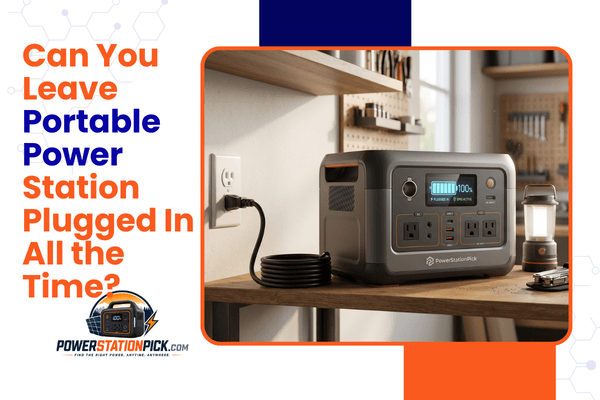
Imagine a storm is brewing outside, the wind is howling, and you want to ensure your home emergency backup power is completely ready if the grid drops. To guarantee you aren’t left in the dark, you decide to leave your solar generator plugged directly into a wall outlet indefinitely.
This is an incredibly common setup. Thousands of suburban homeowners, apartment dwellers, and remote workers keep their backup energy systems permanently connected to grid power. They want peace of mind knowing that their gear is sitting at a full 100% capacity the exact second an outage occurs.
However, anyone who has owned an old smartphone or laptop knows that keeping a lithium battery permanently tethered to a charger can have consequences. Over time, screens swell, runtimes drop, and battery health plummets.
Because portable power stations represent a significant financial investment—often costing anywhere from hundreds to thousands of dollars—it is natural to harbor anxiety about portable power station charging safety. If you find yourself asking, “can you leave portable power station plugged in all the time?” you are asking the right question.
Understanding the delicate balance between emergency readiness and long-term battery health will prevent you from accidentally degrading your equipment, wasting money, or creating safety hazards in your living space.
The Battery Management System (BMS)
The primary gatekeeper inside every reputable power station is the Battery Management System (BMS). The BMS is an integrated circuit board loaded with smart microprocessors that constantly monitor the health of your power station at a granular, cell-by-cell level.
The BMS acts as an electronic bodyguard, continuously measuring:
- Voltage Intake: Ensuring the incoming power matches the strict threshold of the chemical cells.
- Amperage Flow: Regulating current speed to prevent overheating.
- Thermal Sensors: Monitoring internal temperatures to safely throttle or halt operations if the machine gets too warm.
Automatic Charging Cutoffs & Trickle Behavior
When you plug a depleted power station into a wall outlet, the internal charge controller permits full, high-speed current to rush into the battery cells. However, as the battery capacity climbs past 90% and approaches 100%, the BMS steps in.
Instead of allowing the power to slam into the battery at full speed, the BMS forces the system into a “saturation charge” phase, slowly tapering the incoming wattage down to a crawl. The exact millisecond the cells reach their maximum calibrated voltage capacity, the BMS triggers an absolute automatic cutoff.
Once this cutoff occurs, the incoming electrical current is completely severed. The power station does not experience continuous, aggressive overcharging. Instead, it enters a standby state.
If the power station sits idle on the wall for weeks, its internal computer chips will naturally consume a tiny fraction of energy to stay awake, causing the capacity to dip to 99% or 98%. When this happens, the BMS will initiate a minor “trickle charge” or a brief top-up cycle to bring the unit back to full capacity before cutting the loop again.
Is It Safe to Leave a Portable Power Station Plugged In?
From a pure household safety perspective, leaving a high-quality, name-brand portable power station connected to grid power continuously is exceptionally safe. The fear of a sudden, catastrophic battery fire caused purely by leaving a charger connected stems from early, un-regulated lithium-ion tech found in cheap hoverboards and generic e-bikes from a decade ago.
Today, premium manufacturers design their hardware to meet rigorous international safety standards. The combination of multi-layered thermal sensors and emergency circuit breakers inside the BMS ensures that if an internal component glitches or begins to overheat while plugged into the wall, the unit will instantly isolate the affected circuit and shut down completely to prevent thermal runaway.
The Quality Gap: Premium vs. Ultra-Budget
However, this safety profile assumes you are purchasing equipment from industry-recognized manufacturers. The market is saturated with generic, ultra-budget alternative power banks from unknown online suppliers.
To hit incredibly cheap price targets, these generic brands often use low-grade battery cells, minimal thermal monitoring, and poorly optimized BMS microchips. If you are using a cheap knock-off unit, leaving it plugged into a wall outlet indefinitely inside your living space presents a genuine fire and electrical hazard. For absolute safety, stick exclusively to certified, well-reviewed brands.
Does Leaving It Plugged In Damage the Battery?
While leaving your power station plugged in continuously is safe from a hazard standpoint, doing so can actively reduce your portable power station battery lifespan. Safety and degradation are two completely different conversations.
To understand why, we have to look at the internal chemical stress of lithium cells. When a lithium battery is sitting at 0% capacity, it is chemically empty and highly stressed. Conversely, when it is filled to exactly 100%, the lithium ions are crammed tightly onto one side of the battery structure, creating a state of maximum voltage saturation.
💡 The Battery Stress Analogy:
Think of a lithium cell like a mechanical metal spring. If you leave a spring lying loose on a table, it experiences no stress. If you compress that spring completely flat and hold it under heavy tension for months on end, the metal will eventually lose its elasticity and degrade over time. Keeping your power station at 100% continuously is the chemical equivalent of holding that spring under permanent, maximum compression.
Heat and Voltage Degradation
When a power station is kept plugged into a wall outlet constantly, it resides in a perpetual state of high voltage stress. Over months and years, this sustained high-voltage environment accelerates the breakdown of the internal electrolyte fluid and oxidizes the cathode material.
This chemical wear manifests as a gradual, permanent loss of overall storage capacity. If you keep a standard lithium battery continuously sitting at 100% for two years straight, you might discover that your 1,000Wh battery can now only physically hold 850Wh of energy, even though you have barely used it in the field.
LiFePO4 vs Lithium-Ion for Continuous Charging
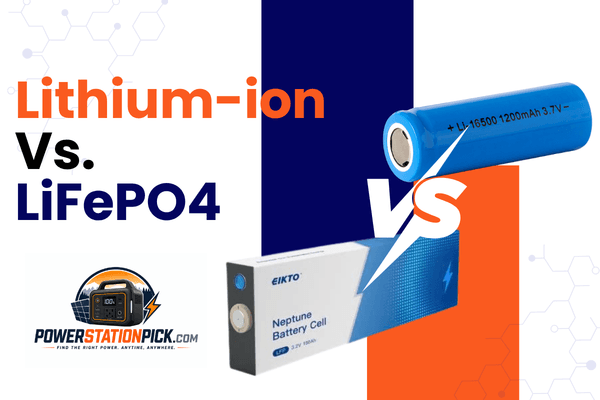
The rate at which your battery will degrade under constant wall power relies almost entirely on the specific chemical compound inside the cells: LiFePO4 (Lithium Iron Phosphate / LFP) vs. Standard Lithium-Ion (NMC/NCM).
Table 1: Battery Chemistry Continuous Charging Tolerance
| Performance & Lifespan Metric | LiFePO4 (Lithium Iron Phosphate / LFP) | Standard Lithium-Ion (NMC / NCM) |
|---|---|---|
| Baseline Cycle Lifespan (to 80% Health) | 3,000 – 4,000+ Full Cycles | 500 – 800 Full Cycles |
| High Voltage Stress Tolerance | High; exceptionally stable iron-phosphate structure | Low; susceptible to accelerated degradation at 100% |
| Internal Thermal Resistance | Excellent; handles continuous current with minimal heat | Moderate; prone to ambient temperature vulnerabilities |
| Best Storage Percentage | 50% to 80% (Can handle 100% for backup readiness) | Strictly 50% to 60% for long-term safety |
| Overall Recommendation for Always-Plugged-In Use | Highly Recommended | Not Recommended (Unplug after full) |
Why LiFePO4 Models Rule for Emergency Backup
If your primary goal is creating a permanent emergency standby setup, LiFePO4 charging habits are far more forgiving. LFP batteries use an exceptionally stable iron-phosphate crystal structure. This molecular layout is inherently robust and handles high-voltage saturation with significantly less chemical breakdown than standard NMC lithium-ion cells.
If you leave an NMC battery plugged in at 100% for a year, its capacity will drop sharply. If you leave a modern LiFePO4 battery plugged in at 100% for that same year, the capacity loss will be minimal, making LFP the undisputed king for standby emergency readiness.
What Happens If You Leave a Power Station Plugged In for Months?
If you leave a solar generator plugged into a garage or closet outlet for six months straight without touching it, a few specific backend behaviors occur:
1. The Phantom Cycle Loop
Every portable power station experiences a natural phenomenon known as “self-discharge.” Even when completely turned off, the internal battery cells slowly leak a small percentage of their energy over time (typically 1% to 3% per month).
When plugged into the wall, the machine lets this self-discharge happen. Once the battery capacity dips slightly, the BMS wakes up, initiates an automatic recharge cycle back to 100%, and goes back to sleep. Over six months, your unit will silently cycle itself dozens of times without you ever clicking a button, contributing to very minor, slow cell wear.
2. The Display Calibration Drift
A battery’s internal computer calculates the remaining percentage display by tracking the electrical current flowing in and out of the box. If a power station sits completely stationary at 100% for months on end, the internal sensors can lose their reference points.
This causes “calibration drift.” You might look at the LCD screen and see a reassuring “100%,” but as soon as a blackout occurs and you unplug the unit, the percentage display might instantly plummet down to 84%. To prevent this, you have to actively cycle the unit periodically.
Best Practices for Leaving a Portable Power Station Plugged In
If your lifestyle or medical situation dictates that you must keep your solar generator connected to wall power continuously, use these professional strategies to maximize your equipment’s operational lifespan:
- Maintain Pristine Thermal Environments: Never store a permanently plugged-in power station inside an uninsulated backyard tool shed, a baking summer garage, or next to a home heating register. High ambient heat combined with high voltage saturation creates a destructive environment that will ruin a battery pack rapidly. Keep the unit indoors in a cool, climate-controlled room (ideally between 60°F and 75°F).
- Avoid Direct Sunlight: Ensure your panels or window rays aren’t striking the plastic chassis of the power station. Sunlight can rapidly cook the internal circuitry, causing the BMS to trigger a high-temperature safety shutdown.
- Utilize App-Based Charging Limits: The ultimate solution in 2026 is utilizing smart software control. Premium brands allow you to pair your power station with a smartphone app where you can adjust the charging parameters. Look for a setting named “Battery Conservation Mode,” “AC Charge Limit,” or “EPS Mode.” Set the maximum charge limit to 80%. This ensures your power station stays perfectly ready for an unexpected blackout while completely bypassing the high-stress zone of 100% voltage saturation.
- Perform Bi-Annual Exercise Cycles: Every 3 to 6 months, unplug your power station from the wall, connect a high-draw home appliance (like a box fan or television), and intentionally drain the battery pack down to roughly 15% to 20%. Once drained, plug it back into the wall and let it charge completely back up. This physical cycle recalibrates the internal BMS sensors, exercises the lithium ions, and ensures your LCD percentage display remains accurate.
Should You Keep a Power Station at 100% All the Time?
The decision to hold your battery generator at a perpetual 100% capacity is a direct trade-off between instant convenience and long-term cell longevity.
- The Case for 100%: If you live in an area prone to severe, unpredictable weather anomalies (like the hurricane-prone Gulf Coast or regions with unstable electrical infrastructure), keeping your unit at 100% is completely logical. The financial cost of losing a fraction of battery health over five years is vastly preferable to being stranded with a half-empty battery during a multi-day emergency blackout.
- The Case for 80%: If you are using the power station for casual, planned weekend camping trips or seasonal tailgating events, keeping the unit sitting at 100% in your closet all winter long is bad practice. In this scenario, store the unit at roughly 50% to 60% capacity, and simply plug it into the wall the night before your scheduled trip to top it up to 100%.
What Is Pass-Through Charging?
When discussing leaving a power station plugged into the wall all the time, users often want to know if they can simultaneously power appliances out of the front outlets while the back of the unit is plugged into the wall. This function is known as power station pass through charging.
Modern premium portable power stations handle this task effortlessly through a feature called Bypass Mode.
💡 Understanding Inverter Bypass Mode
When a power station is fully charged to 100% and remains plugged into a wall outlet, an internal electronic relay switches over. Incoming electricity from your home wall outlet completely bypasses the internal battery cells and flows directly to your plugged-in electronics. The battery essentially goes to sleep, protecting it from continuous heat, micro-cycling, and unnecessary wear.
The Uninterruptible Power Supply (UPS) Benefit
Thanks to bypass mode, a plugged-in power station can act as a high-speed UPS (Uninterruptible Power Supply). If you plug your home Wi-Fi router, desktop computer, or medical CPAP machine directly into the power station, and leave the power station plugged into the wall, the devices will run entirely off grid electricity under normal conditions.
The exact millisecond the neighborhood grid drops, the power station’s internal sensors detect the voltage drop and switch over to battery power in under 20 milliseconds. The changeover is so incredibly fast that your computer or CPAP machine won’t even register that a blackout occurred, keeping your system running smoothly without rebooting.
Common Mistakes to Avoid
To protect your alternative energy investment from premature cell death, avoid these critical field mistakes:
- Leaving Units in Unventilated Spaces: Portable power stations require constant air circulation to stay cool. Never stack cardboard boxes on top of a plugged-in power station or slide it into a tight, unventilated cabinet. If the cooling fans cannot draw in fresh air, internal temperatures will spike, severely damaging the battery cells.
- Using Mismatched Third-Party Charging Bricks: If your power station relies on an external charging brick, always use the factory-approved charger that came in the box. Cheap, un-regulated third-party charging cables can output highly unstable voltages that can easily bypass the safety parameters of your BMS, ruining your device.
- Ignoring Firmware Updates: In 2026, premium power stations are highly connected smart devices. Manufacturers routinely release over-the-air (OTA) firmware updates via their mobile apps. These updates often contain critical safety improvements, optimizations for the BMS, and better thermal regulation parameters. Check your companion app every few months to ensure your hardware is running the latest software.
- Leaving the AC Inverter Turned On Continuously: If you leave your power station plugged into the wall but keep the master “AC Outlets” button toggled on with nothing plugged into them, the internal inverter will continue to draw a constant “phantom load” of 15W to 30W just to keep the outlets live. This generates unnecessary internal heat and forces the battery to cycle itself far more frequently.
Real-World Usage Scenarios
Let’s look at how seasoned off-grid professionals manage their plugged-in hardware configurations across varying deployment goals:
Scenario A: The CPAP Medical Backup
- The Setup: A user relies on an active medical CPAP machine overnight to combat sleep apnea. They place an Anker SOLIX C1000 directly onto their bedside nightstand, plug it into the bedroom wall outlet, and plug their CPAP machine into the front AC port of the Anker unit.
- The Execution: The user utilizes the Anker mobile app to set a strict charge restriction ceiling of 80% to protect the long-term LiFePO4 cell health.
- The Result: The CPAP machine runs flawlessly night after night via the wall bypass line. If an intense summer lightning storm drops the residential power grid at 3:00 AM, the Anker unit switches to battery power within 20ms. The user sleeps through the night completely undisturbed, perfectly protected by a healthy, optimized standby battery grid.
Scenario B: The Off-Grid Cabin Solar Array
- The Setup: A remote hunting cabin uses a large Bluetti AC180 connected to a permanent exterior 400W roof-mounted solar array to run lighting and a compact DC travel refrigerator.
- The Execution: Because the property is left empty for weeks at a time during the off-season, the owner sets up the system carefully, clearing all potential shadows from the panels and keeping the main battery box situated on a cool basement shelf.
- The Result: The integrated MPPT charge controller manages the incoming daytime sun beautifully, cycling the power safely. Because the Bluetti features premium LFP cells rated for over 3,500+ lifecycles, the owner can comfortably leave the system running autonomously for years without worrying about capacity degradation.
Best Portable Power Stations for Long-Term Plugged-In Use
If you are looking for a reliable, highly durable solar generator engineered specifically to handle the structural stress of continuous wall connection, these independent models lead the market in 2026.
1. EcoFlow Delta 3 Plus (The Smartest Standby Battery Grid)
The EcoFlow Delta 3 Plus represents the pinnacle of modern smart battery management, making it an exceptional option for full-time emergency standby deployment.
- Battery Chemistry: Premium LiFePO4 (LFP) — rated for 3,000+ full charge cycles to 80% capacity.
- BMS & Software Integration: Outstanding. The EcoFlow companion app provides a highly refined user interface where you can set exact customized charge and discharge percentage caps (e.g., locking the intake at 80%) to completely eliminate high-voltage battery stress.
- Pass-Through & UPS Capability: Features a true, high-speed <20ms automatic UPS switchover function with an optimized inverter bypass circuit.
- Best Use Case: Urban apartment emergency preparedness, remote digital nomad office continuity, and critical electronic backup grids.
- Pros: Highly responsive app control system; rapid wall recovery speeds; exceptionally clean Pure Sine Wave AC output.
- Cons: Internal cooling fans ramp up noticeably loud when the system is handling high wattage loads.
2. Bluetti AC180 (The Industrial Backup Workhorse)
Bluetti’s AC180 focuses heavily on rugged, industrial-grade electrical construction and high-voltage stability, making it built to last under continuous loads.
- Battery Chemistry: Next-Gen LiFePO4 — rated for an exceptional 3,500+ full charge cycles to 80% capacity.
- BMS & Software Integration: Excellent. Features ultra-stable hardware component paths coupled with a low-draw phantom power management module that prevents excessive trickle-cycle loops.
- Pass-Through & UPS Capability: Seamless pass-through capability supported by an automatic smart relay system that isolates the internal cells once a full charge is achieved.
- Best Use Case: Long-term off-grid cabin power grids, full-time RV house-battery integrations, and reliable garage workshop backup systems.
- Pros: Toughest LFP cell durability on the market; very low standby phantom drain; competitive price-per-watt value.
- Cons: The boxy unibody layout lacks folding top handles, making it slightly awkward to pack in tight car trunks.
3. Anker SOLIX C1000 (The Durable Ultra-Compact Champion)
Anker has completely disrupted the alternative energy sector with their specialized InfiniPower™ manufacturing process, building a robust power station that thrives under continuous deployment.
- Battery Chemistry: EV-Grade LiFePO4 — rated for 3,000+ full charge cycles to 80% capacity.
- BMS & Software Integration: Superb. Features an industrial-grade internal control chip array that monitors temperature points across the motherboard thousands of times per second.
- Pass-Through & UPS Capability: Offers a seamless 20ms backup response window, working beautifully as a full-time desktop computer or medical device protection link.
- Best Use Case: Bedside medical device protection, tailgating, and everyday mobile workspace deployments.
- Pros: Unmatched drop-proof and impact-resistant unibody housing; incredibly compact physical footprint; comprehensive 5-year full factory warranty.
- Cons: App tracking requires a stable local 2.4GHz Wi-Fi connection for long-distance remote cloud monitoring.
Manufacturer Recommendations From Popular Brands
While all modern manufacturers implement standard BMS safety systems, their official user manuals display varying philosophies regarding continuous wall connectivity.
Jackery
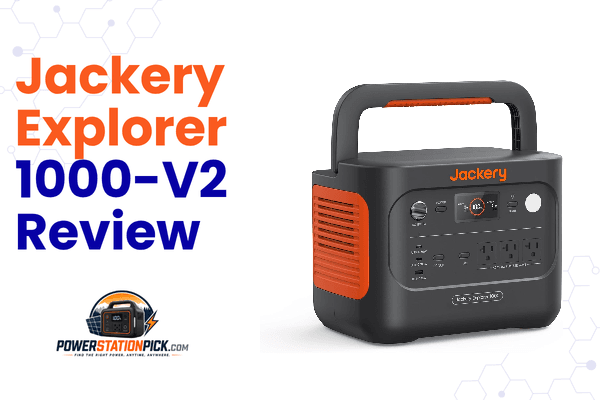
Jackery emphasizes manual consumer care in their standard operation manuals. While their modern “Plus” line features robust LiFePO4 cells that can technically handle continuous wall charging safely, Jackery generally advises users to unplug the unit once it hits 100% if it is being stored for occasional seasonal use. They recommend maintaining a storage level of 60% and manually topping up the unit before a big excursion to ensure optimal display calibration.
EcoFlow & Bluetti
EcoFlow and Bluetti design their hardware around high-tech automation and cloud ecosystems. Because their product portfolios heavily target full-time van life, off-grid solar storage, and whole-house backup, their internal circuits are engineered to manage perpetual wall connectivity seamlessly via Inverter Bypass mode. They actively encourage users who leave their devices plugged in to log into their smartphone applications and engage their custom battery charge limit adjustments to easily preserve long-term cell health.
Frequently Asked Questions
Can a portable power station overcharge?
No, a modern high-quality portable power station cannot overcharge. The internal Battery Management System (BMS) continuously monitors cell voltage and automatically cuts off the incoming electrical current the exact millisecond the battery reaches 100% capacity.
Is it bad to leave a Jackery plugged in?
If you are using an older Jackery model with standard lithium-ion (NMC) cells, leaving it plugged in constantly at 100% will cause accelerated battery degradation over time. If you are using a newer Jackery “Plus” series with LiFePO4 cells, it handles continuous charging far better, but it is still ideal to unplug it for long-term storage or limit its charge capacity via an app.
Should I unplug my power station after charging?
If your power station does not feature a companion mobile app where you can limit the maximum charging percentage to 80%, yes, it is highly recommended to unplug the unit once it hits 100% to save the battery cells from prolonged high-voltage stress.
Is LiFePO4 safer for continuous charging?
Yes, LiFePO4 (Lithium Iron Phosphate) is exponentially safer and more chemically stable than standard lithium-ion (NMC) chemistry. LFP cells feature a robust iron-phosphate molecular structure that is highly resistant to thermal runaway, degradation, and high-voltage stress.
What is pass-through charging?
Pass-through charging is the ability of a power station to accept input power (from a wall outlet or solar panel) while simultaneously outputting power to your plugged-in household appliances or electronics.
Can heat damage a plugged-in power station?
Yes, heat is the ultimate enemy of all lithium battery chemistries. Operating or storing a plugged-in power station in environment temperatures above 104°F (40°C) will cause massive internal cell resistance, accelerating permanent capacity loss and triggering safety shutdowns.
How often should I cycle the battery?
If you keep your power station plugged in continuously, you should intentionally unplug it and discharge it down to 15% before charging it back to full once every 3 to 6 months. This active cycling exercises the lithium ions and keeps the BMS percentage display perfectly calibrated.
Does leaving the power station plugged in consume massive electricity?
No. Once the battery hits 100%, the BMS cuts off power intake. The unit will only draw a microscopic trickle of electricity (usually under 5 Watts) from your home outlet to run its internal display screens and monitor wireless app sensors.
Can I run a vacuum cleaner or microwave while the station is charging?
Yes, provided the continuous wattage requirement of your microwave or vacuum cleaner does not exceed the maximum output rating of your power station’s internal AC inverter.
Why does my power station fan turn on when it’s just sitting on the wall?
Modern units feature high-speed charging circuits that generate internal ambient heat during the final saturation charging phase. If your power station is running an automatic top-up cycle or managing a high pass-through load via bypass mode, its internal fans will click on automatically to drop the system temperature down to safe operating levels.
Final Verdict
When evaluating can you leave portable power station plugged in all the time, the ultimate takeaway is that modern technology has made the practice remarkably safe, but your long-term battery health requires smart management.
To ensure your investment lasts for a decade or longer, prioritize these core rules of thumb:
- Stick with LiFePO4: If you need a permanent emergency standby grid that lives on a wall outlet, only buy units featuring high-grade LiFePO4 cell chemistry.
- Leverage Smart App Limits: If your machine connects to a mobile application (like the EcoFlow Delta 3 Plus or Anker SOLIX C1000), actively engage its battery conservation feature and cap the maximum charge intake at 80%. This gives you ample emergency power during a sudden blackout while completely insulating the cells from high-voltage stress.
- Keep it Cool and Exercised: Keep your equipment in a clean, temperature-controlled indoor room, and make sure to manually discharge and recharge the unit twice a year.
By aligning your emergency readiness strategy with these simple maintenance practices, your portable power station will reliably keep your critical appliances running smoothly whenever the grid lets you down.

Hi, I’m Andrew Richards. I created PowerStationPick to share what I’ve learned about portable power through real-world use—what actually works, what doesn’t, and what makes sense for different situations. I focus on helping you choose the right setup for home backup, camping, and everyday needs without overcomplicating things.